
Your schedule and your patients, in one screen
No handwriting, no lost paper, no phone calls to check your day. Hospitech gives every doctor their own appointment list, a structured way to prescribe, and a full history of every prescription they've ever written.
A morning for Dr. Arjun Nair
Same cast as always — Dr. Nair sees his patients at Care Hospital, one screen at a time.
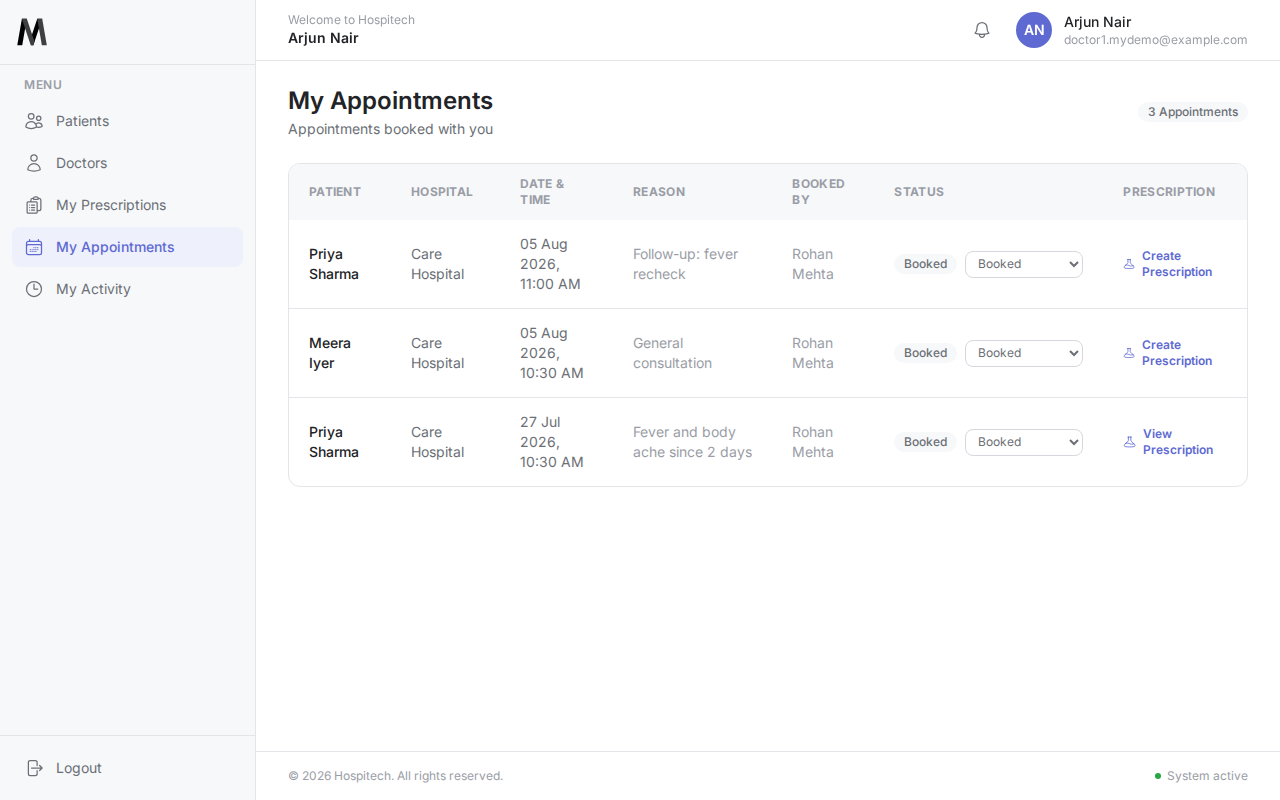
His day, already laid out
Dr. Nair opens Hospitech and sees exactly who he's seeing and when — Priya Sharma's follow-up, Meera Iyer's first visit — booked by the front desk, visible to him the moment they're saved.
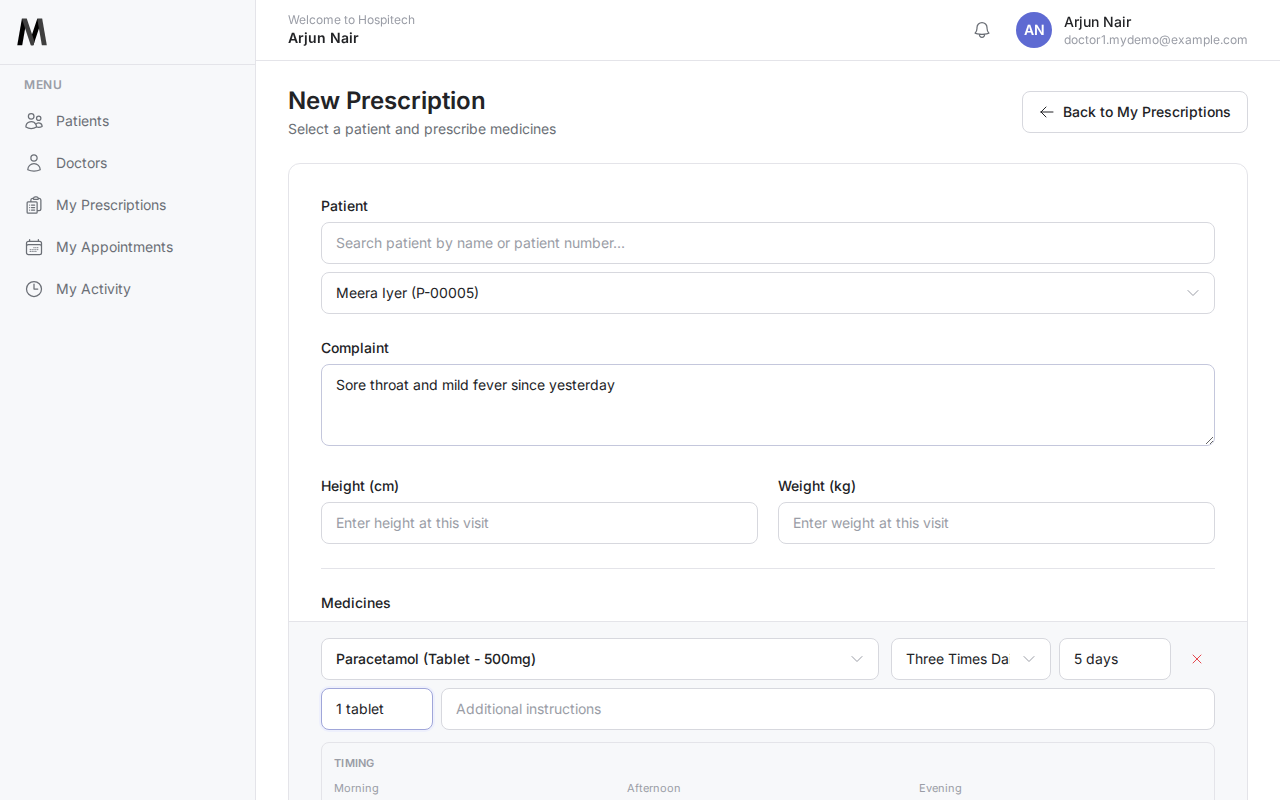
Structured, not scribbled
For Meera's visit, Dr. Nair picks Paracetamol straight from the hospital's shared formulary — dosage, frequency, and morning/afternoon/evening timing captured clearly. Nothing for the pharmacy to misread.
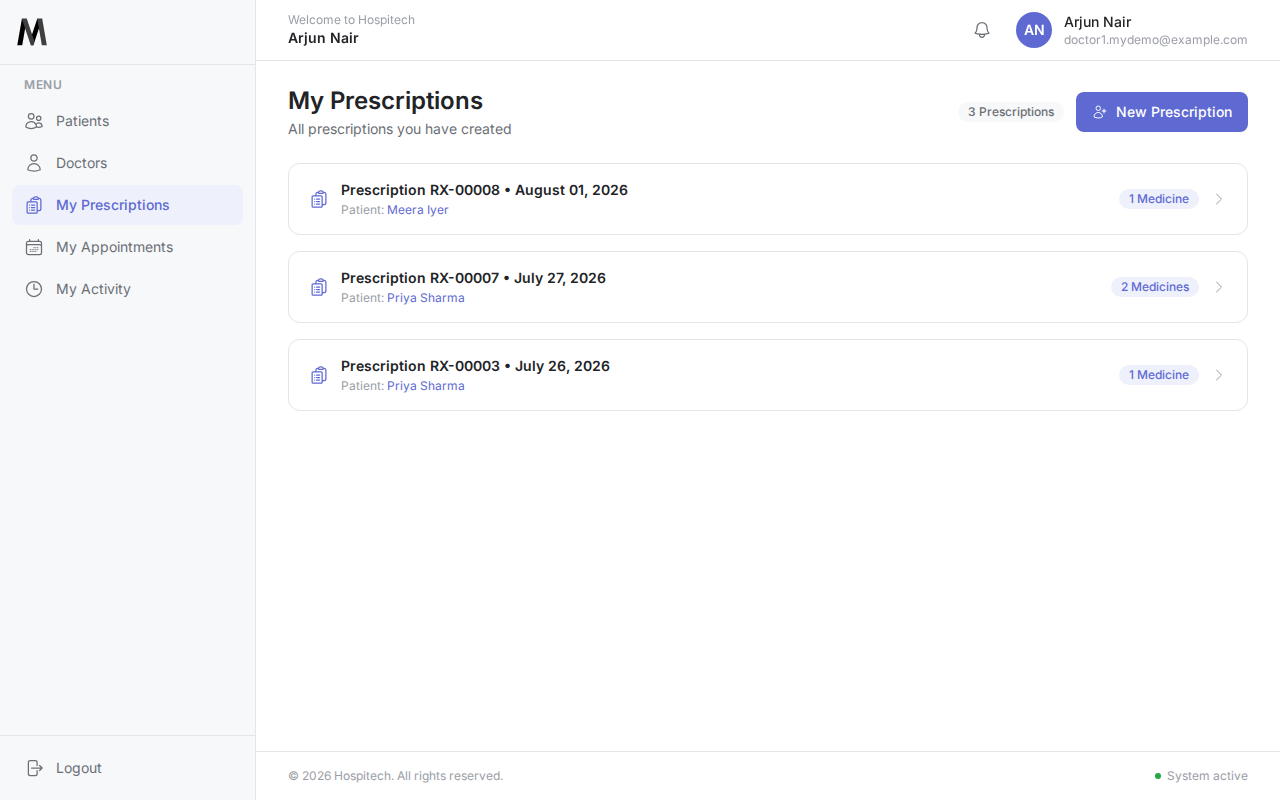
Every prescription he's ever written
A running history of Dr. Nair's own prescriptions, newest first — searchable when a patient calls back asking what exactly they were put on last time.
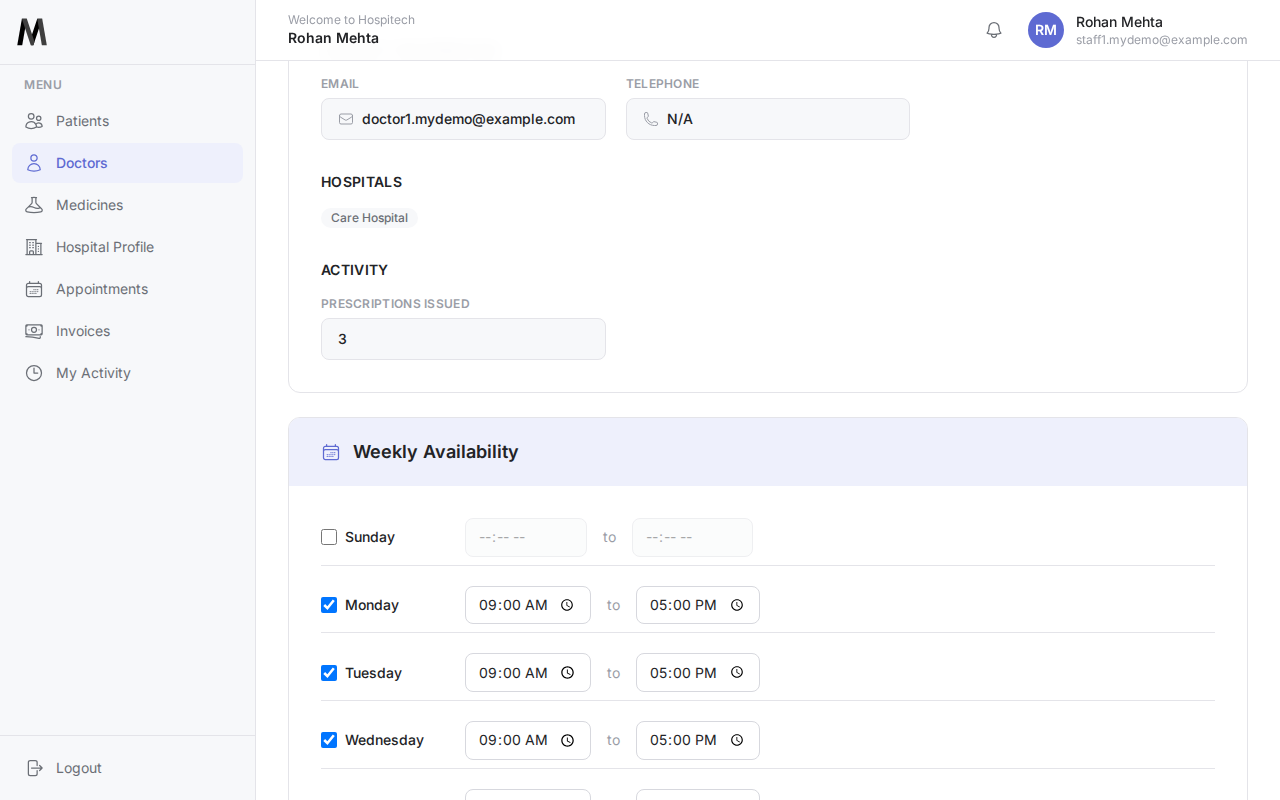
His hours, respected everywhere
Care Hospital's front desk sets Dr. Nair's weekly hours and any leave once. From then on, the booking screen warns staff before they double-book him outside those hours — no more getting scheduled on a day off.
One login, every hospital you work at
Hospitech's doctor accounts aren't tied to a single clinic — if you see patients at more than one hospital, your appointments and prescriptions for each stay separate, under the one login.